From multi-tool annotation workflows to one-click propagation across merged sequences here’s everything new. Segmentation has been one of the most requested capabilities on Ango Hub, and today, it becomes a first-class part of the platform. Not as a bolt-on, but as a deeply integrated set of tools built for the complexity of real annotation work.
This release brings together features that make segmentation faster, more precise, and far less repetitive, whether you’re working through a single frame or an entire merged sequence. Here’s what’s new:
Feature 1
Multi-Modal Segmentation: Cuboid, Polygon, and Brush in one workflow
Real-world objects aren’t one shape. A construction vehicle has a rectangular chassis, an irregular roof rack, and complex ground-contact edges each requiring a different annotation approach. Until now, you had to pick one tool and compromise everywhere else.
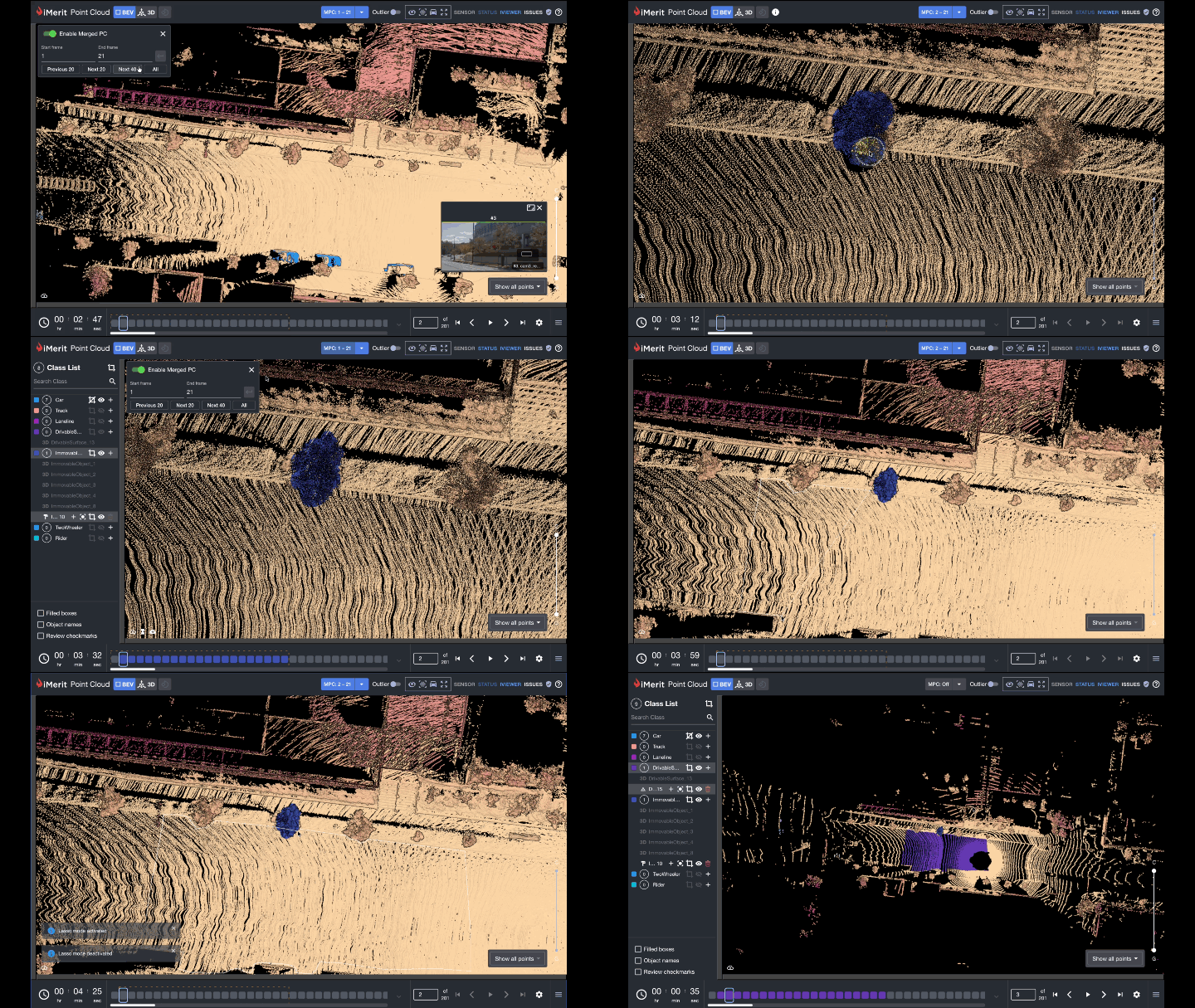
With Multi-Modal Segmentation, you can switch freely between Cuboid, 3D Polygon, and Brush within a single annotation session, with all three tools operating on the same object simultaneously and merging into one coherent annotation at the end. No saving, no re-importing, no loss of context. Just the right tool for each part of the object, exactly when you need it.
Feature 2
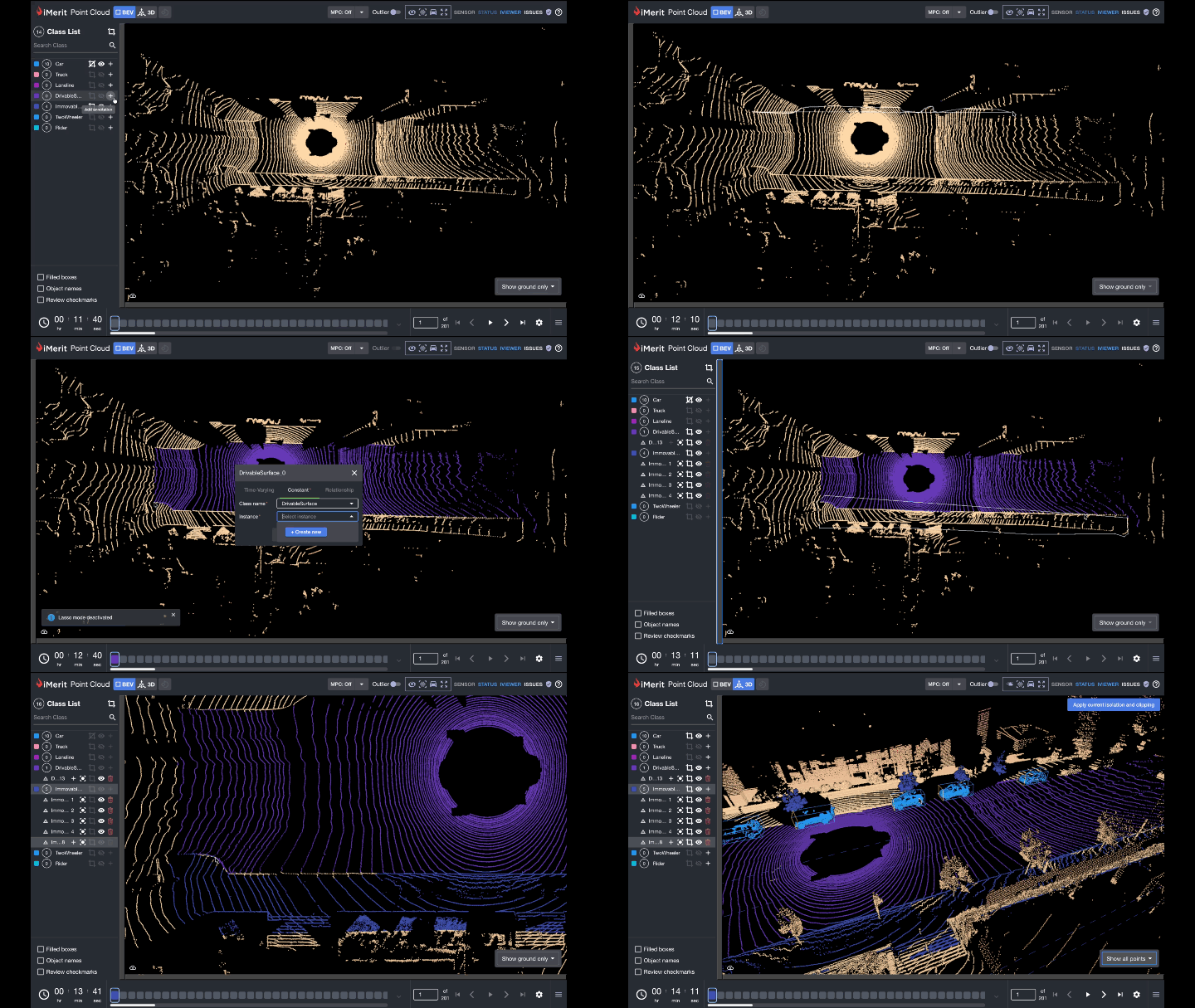
Annotate once on a Merged Point Cloud: Paintbrush propagates automatically
Annotating static objects across long sequences used to mean repeating the same paintbrush stroke frame after frame. Not anymore. Merge all or a partial range of frames, paint your segmentation once on the merged cloud, and the system automatically applies that annotation across every frame in the merge. The coverage is precise only the points from the merged frames are segmented, so there are no overreach errors. One stroke. Entire sequence done.
Feature 3
Segmentation workflow upgrades: precision and control, refined
A set of targeted improvements that make the segmentation experience significantly smoother for daily annotation work:
- Toggle Lasso Mode (G)
- Undo vertices during active drawing
- Rotate, pan & zoom while in Brush Individual point clipping
- Bulk point clipping Show/Hide visibility
- Bulk Show/Hide visibility
Together these remove the most common friction points accidentally mis-placed vertices, losing your view while brushing, and managing complex scenes with many overlapping annotations.
Feature 4
Sanity Checks: quality guardrails built into the editor
Annotation errors are cheapest to fix the moment they’re made. Sanity Checks run continuously in the background and surface a non-blocking visual cue the instant a threshold is violated no waiting for QA review.
Four checks are available:
- Plausible Object Motion (detects cuboids that teleport between frames)
- Plausible Object Rotation (flags unrealistic heading changes)
- Minimum LiDAR Point Density (warns on sparse distant objects)
- Cuboid Volume (catches implausibly sized annotations).
All thresholds are configurable per class in the recipe.
Feature 5
Object Track & Cuboid Grouping: consistent tracking, finally straightforward
Object Track gives you a complete view of any selected cuboid’s trajectory across the entire sequence, covering every frame before and after the current one, so you can catch misalignments, missed frames, and sudden positional shifts without scrubbing through manually. Press T to toggle it on. Cuboid Grouping takes the logic a step further by linking multiple cuboids that move together in the real world, like a cabin and trailer or a tractor and implementing, maintaining their relative positions throughout the sequence automatically. Move the lead cuboid and the rest follow.
Other updates in this release:
Questions about any of these features? Reach out to your account team or explore the full documentation. Read the docs here.